Reclaim vs Motion (2026): Which AI Calendar Fits How You Work?
Independent and reader-supported. Some links may become affiliate links; see our disclosure. We don't accept payment for coverage.

Short answer: Choose Reclaim if you live in Google Calendar or Outlook, want AI to protect focus time and personal routines, and want to start free. Choose Motion if you want one tool that replaces your task manager and plans every task into your day, and you’re willing to pay work-suite prices (from $19/seat/month for teams on annual billing, or $29 to $49/month for one person).
Both tools put work on your calendar with AI, but they’re built on different ideas. Here’s how they compare, with every price checked on the official pages on October 16, 2026.
The core difference
Reclaim is a layer on top of the calendar you already use. It runs on your Google Calendar or Outlook account and uses AI “agents” to defend time for focus work, habits, breaks and tasks pulled from other apps (Reclaim).
Motion is a full AI work suite. It has its own tasks, projects, docs and notes, and its AI Task Planner fits each task into open time on your calendar (Motion pricing).
Put simply: Reclaim works around your existing tools; Motion asks you to move your work into Motion.
Side-by-side comparison
| Reclaim | Motion | |
|---|---|---|
| Free plan | Yes, Lite is free forever | No, 7-day free trial |
| Lowest paid price | $10/seat/month billed yearly ($12 monthly) | $19/seat/month for teams billed annually; $29/month for an individual billed annually ($49 monthly) |
| Approach | AI agents on top of Google Calendar or Outlook | All-in-one tasks, projects, docs and calendar |
| Personal routines | Habits feature included, even on Lite | Not a stated focus |
| Native mobile apps | No (web app can be added to home screen) | Yes, iOS and Android companion apps |
| Task sources | Google Tasks on Lite; Todoist, Asana, ClickUp, Jira, Linear on paid plans | Motion’s own tasks and projects |
| AI training on your data | Not without explicit consent or opt-in (per policy) | Possibly; policy lists ML training as a use of personal information |
Sources: Reclaim pricing, Reclaim mobile help, Reclaim Privacy Policy, Motion pricing, Motion on the App Store, Motion Privacy Policy. Checked October 16, 2026.
Pricing in detail
Reclaim
Reclaim’s pricing page lists four plans (Reclaim pricing):
- Lite (free forever): 5 AI agents, Focus Time, Habits, Buffer Time, Smart Meetings, a 1-week scheduling range, 1 calendar sync, 1 scheduling link, and limited integrations (Google Tasks, Slack, Zoom and Google Meet).
- Starter: $10/seat/month billed yearly or $12 monthly. 10 AI agents per seat, up to 10 seats, an 8-week scheduling range, 3 calendar syncs, 3 scheduling links and unlimited integrations.
- Business: $15/seat/month billed yearly or $18 monthly. Up to 100 seats, a 12-week scheduling range and unlimited calendar syncs and scheduling links.
- Enterprise: $22/seat/month.
Reclaim also lists a 50% discount for 12 months for students, educators and faculty, and, as of October 16, 2026, a 20% discount for 6 months for people switching from Motion, Clockwise or Calendly.
Motion
Motion’s price depends on whether you buy as an individual or a team and whether you pay monthly or annually (Motion pricing):
| Motion plan | Individual, annual | Individual, monthly | Team, annual (per seat) | Team, monthly (per seat) |
|---|---|---|---|---|
| Pro AI | $29 | $49 | $19 | $29 |
| Business AI | $39 | $69 | $29 | $49 |
Pro AI includes 7,500 AI credits per seat per month; Business AI includes 15,000. Inside the iPhone app, the US App Store lists subscriptions at $44.99/month and $294.99/year. For more on what you get, see our post Is Motion worth it?
What this means for one person
For a solo user paying monthly, the gap is wide: Reclaim Starter at $12/month versus Motion Pro AI at $49/month, and Reclaim Lite costs nothing. On annual billing it’s $10 versus $29 a month.
Trials and refunds
- Reclaim: you can start on the free Lite plan without paying. Reclaim’s site also links to a free 14-day trial; we didn’t confirm which paid plan it covers.
- Motion: a 7-day free trial per its App Store listing. Motion’s help center says you add billing details at sign-up and a $1 card hold verifies your account (Motion Help). Motion’s terms say purchases are non-refundable (Motion Terms).
How the AI scheduling differs
Reclaim schedules around priorities you set. You give it goals such as a weekly focus-time target, recurring habits with time windows, and tasks synced from your task manager, and its agents find and defend time on your calendar. Its pricing page also lists an AI Assistant chat to plan and adjust your schedule.
Motion schedules every task. You add tasks with durations and deadlines into Motion, and the AI Task Planner places them in open time, replanning when meetings move. Projects, docs and notes live in the same app, which is the main reason to pick Motion over a lighter tool.
Mobile and integrations
If you plan mostly from your phone, this is a real difference. Reclaim’s help center says it has no native iOS or Android apps today; it suggests adding the web app to your home screen, and you’ll see Reclaim’s events in your usual calendar app (Reclaim help). Motion offers iOS and Android apps, though its App Store listing says the mobile app is a companion to the web and desktop app.
On integrations, Reclaim connects to the task tools many people already use (Todoist, Asana, ClickUp, Jira and Linear on paid plans), plus Slack, Zoom and Google Meet. Motion is designed to be the task manager itself.
Privacy and AI training
This is one of the clearest published differences:
- Reclaim’s privacy policy (last updated June 25, 2025) says it will not use, and will not let its service providers use, your personal data, including calendar data, to train large language or other generative AI models unless you’ve explicitly consented or opted in (Reclaim Privacy Policy).
- Motion’s privacy policy (last updated June 27, 2025) lists “training and developing machine learning algorithms” among the purposes for using personal information, and doesn’t say whether that includes task or calendar content (Motion Privacy Policy).
If your calendar holds client names or sensitive meetings, that difference may matter more than price.
Which should you choose?
Pick Reclaim if you:
- Want to start free and only pay if you outgrow Lite.
- Already use Google Calendar or Outlook and a task manager you like.
- Care most about protecting focus time, habits and breaks.
- Want a clear written commitment on AI training.
Pick Motion if you:
- Want one tool for tasks, projects, docs and scheduling.
- Want AI to place every task, not just protect blocks of time.
- Want native mobile apps.
- Will use the team plans or annual billing, where Motion’s prices are lowest.
Consider something else if you’d rather plan your own day than hand it to AI. Sunsama is built around a guided daily planning ritual, and Morgen suggests time blocks you approve. Both are in our AI planners comparison.
Our verdict
For most individuals, Reclaim is the easier place to start: it’s free to try indefinitely, cheaper when you upgrade, and its privacy policy is explicit about AI training. Motion earns its higher price only if you’ll use it as your main work hub. For a quick side-by-side table, see Motion vs Reclaim, and if Motion’s price is the sticking point, see our Motion alternatives.
Apps mentioned
Reclaim.ai
AI calendar agents that defend focus time, habits and breaks around your meetings.
Free plan: Yes · Paid from: $10.00/mo
Motion
AI work suite that auto-schedules tasks, projects and meetings into your calendar.
Free plan: No · Paid from: $19.00/mo
Morgen
Calendar and task planner with an AI Planner that suggests time blocks while you stay in control.
Free plan: No · Paid from: $15.00/mo
Sunsama
Calm, guided daily planner that pulls tasks from your other tools into one realistic day.
Free plan: No · Paid from: $17.00/mo
FAQ
Is Reclaim cheaper than Motion?
Yes, on every plan we compared. Reclaim Starter is $10/seat/month billed yearly or $12 monthly, and Reclaim has a free Lite plan. Motion's lowest price is $19/seat/month on a team plan billed annually; for one person it's $29/month billed annually or $49 monthly (prices checked October 16, 2026).
Does Reclaim have a mobile app?
Not a native one. Reclaim's help center says it doesn't have native iOS or Android apps today; you can add its web app to your phone's home screen, and Reclaim's events show up in your normal calendar app. Motion has iOS and Android apps, which its App Store listing describes as companions to the web and desktop app.
Can Reclaim replace Motion for project management?
Not really. Reclaim schedules tasks from the tools you already use, such as Todoist, Asana, ClickUp, Jira or Linear on paid plans. Motion includes its own projects, docs and notes. If you want one all-in-one tool, Motion is closer; if you like your current task manager, Reclaim fits around it.
Which one is better for personal habits and routines?
Reclaim, based on published features. Its Habits feature finds time for recurring routines like exercise or reading, and it's included in the free Lite plan. Motion focuses on tasks, projects and meetings.
Do Reclaim or Motion train AI on my calendar?
Reclaim's privacy policy says it won't use your personal data, including calendar data, to train generative AI models without explicit consent or opt-in. Motion's privacy policy lists training and developing machine learning algorithms among its uses of personal information without saying whether that includes your calendar content.
Some links may become affiliate links; see our disclosure. Prices change often; confirm on the official site.
Recommended reading and courses
Recommended reading and courses
Titles on using AI for personal growth and business. We earn from purchases of these titles. Ads don't affect our rankings or data.
Books
-
 Becoming Limitless Your AI Operating System for Amplifying Your Best Self in Every Life Area Get the book on Amazon
 -
 Identity Shift Why Your Goals Keep Failing and How to Rewire Who You Are With AI to Make Success Automatic Get the book on Amazon
 -
 AI Entrepreneurship 52 Weeks of AI Prompts and Actionable Inspiration to Skyrocket Your Business Get the book on Amazon
Courses
-
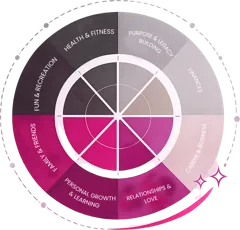 The Becoming Limitless System Work on all eight areas of your life together using AI tools, NLP methodology and a structured framework. Includes 8 life-area modules, the digital book, 40 master AI prompts and custom plugin GPTs. Explore the course
 - The Identity Shift A 90-day system to rebuild your internal operating system, with the full guided workbook, daily practice schedules and an AI coaching plugin GPT guiding you through each module. Explore the course